tvial
1
Hi everybody,
I’m trying to get a transparent navbar on my application.
It works great on browser, but doesn’t on ios.
Here are some pictures:
Working version on browser:

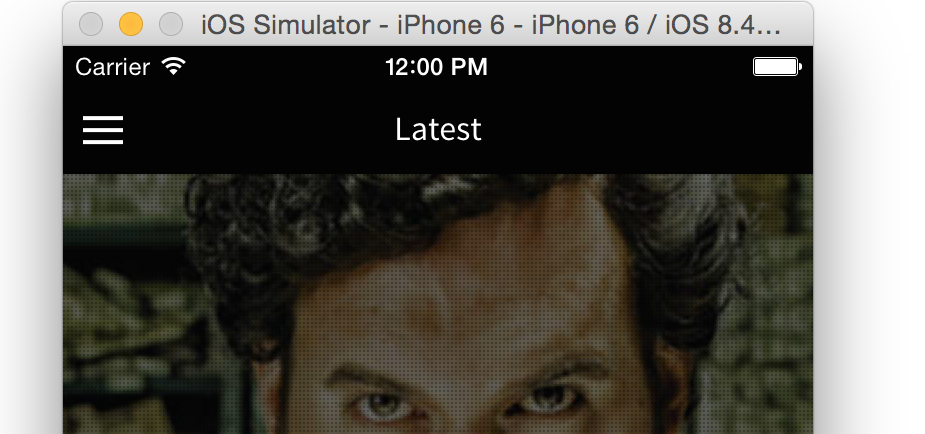
Problem on IOS:
If someone knows how to make it work on iOS, let me know.
Thank you.
Have you tried googling this problem?
tvial
3
Hi @Gajotres, of course I tried, I’m struggling with it for 2 days.
I already have:
.bar-clear.bar.bar-header {
  background: none;
}
.scroll-content {
  overflow: visible !important;
}
Asa you can see, it works on browser, not on emulator/build.
Can you create a simple working example and I will take a look?
Usually, I would do it but I’m on vacation, so there’s no point in spending too much time near my computer.
tvial
5
@Gajotres, I pushed a test on my codepen.
Note that transparent header is now ok, but the content is positioned 44px too low.
If I scroll up, everything is ok.
Thank you and enjoy your vacation.
tvial
6
I just found the reason on iOS.
There’s a specific CSS rule that is applied on iOS.
.platform-ios.platform-cordova:not(.fullscreen) .has-header {
  top:64px;
}
Setting this to 0px solved the problem on iOS emulator.
Hope this helps.
can make blur like iOS too ?