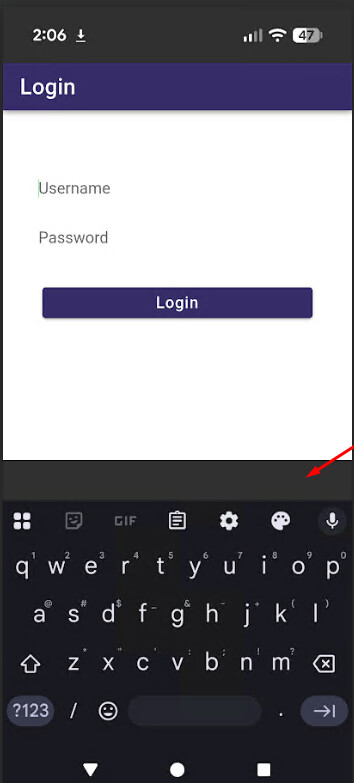
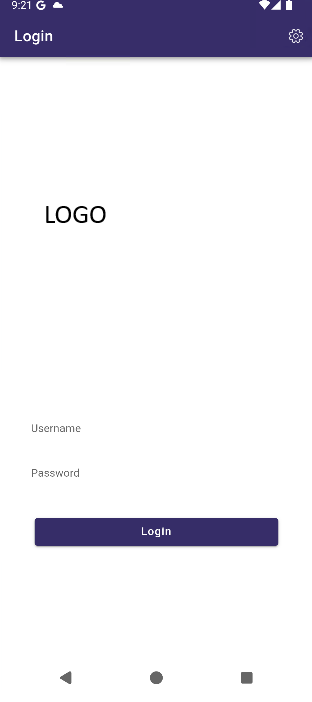
Hi, this sort of carries on from Edge to edge Android , but that post is quite busy, and I think closed.
I have 2 issues
- The
edge to edgemaking some of my lower buttons being covered by the Android navigation buttons - The Keyboard inserting too much space when an input is entered, and this space being a different color to my app background (which may be either by white - for light mode, ot a darker color if running dark mode)
This plugin seems to fix the “Edge to Edge” issue, just by installing it, however not the keyboard issue.
The plugin says to set the resizeOnFullScreen to false, but if I do this, the Keyboard covers my input. If true, then I get too much space. I set a color on the Main Android Window, ie in MainActivity.java I have
int windowColor = ContextCompat.getColor(this, R.color.debug_window_bg);
getWindow().setBackgroundDrawable(new ColorDrawable(windowColor));
This sets it to magenta.
It looks like this.

With out the extra “debug” magenta coloring, this looks fine, and adjust correct when in 3 button navigation mode.
However, with the keyboard up, we see
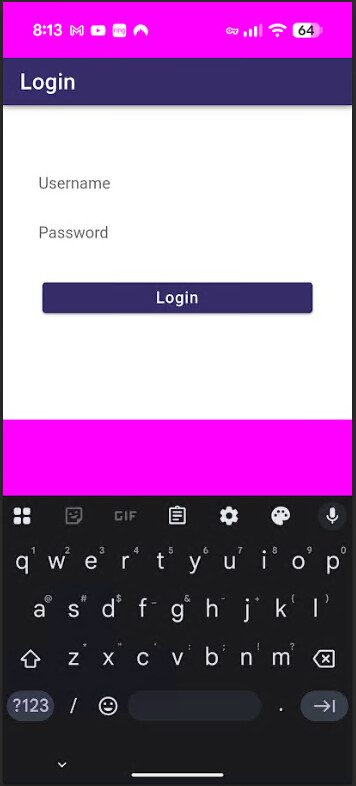
Without the magenta color, the color of the space is still different to my “web” application area, also there is more than required.
If I set `resizeOnFullScreen ` to false as suggested, then the Keyboard covers the input, making it unusable.
There is so many topics on tis problem, it is hard know know which to use, tyrig each would take many days.
Also, I see this other plugin (not tried yet) GitHub - capacitor-community/safe-area: Capacitor Plugin that patches the safe area for older versions of Chromium
This one suggest uninstalling Status Bar Capacitor Plugin API | Capacitor Documentation (which I have at the moment), and installing System Bars Capacitor Plugin API | Capacitor Documentation (which has on installation instructions - npm i ???
So, has anyone tried nay of the many many many suggestions and got BOTH the top status bar and footer area, to work (as the Edge to Edge plugin seems to fix), but ALSO the Keyboard to resize, but not too high showing the differently colored native Window background?
All this I have only tried on the Pixel 9, Android 16, so yet to try on older devises.
Thanks in advance for any help