RSB
1
I’m new to ionic and i’m trying to load a background image, no luck.
Please advise.
home.page.scss file:
page-home {
.bg-image{
background-image: url(’/assets/img/index.jpg’);
background-repeat: no-repeat;
background-position: center;
background-size: contain;
}
.no-scroll .scroll-content {
overflow: hidden;
}
}
RSB
3
Thanks, but it still did not fix my problem 
How’s your implementation for page-home and bg-image classes in html?
RSB
5
This is my home.page.scss:
page-home {
.bg-image{
background: url(‘assets/img/index.jpg’) no-repeat center;
background-size: cover;
}
}
This is my html code (screenshot attached):
- You shouldn’t add classes to
ion-content like that, try something like this instead:
<ion-content>
    <div class="bg-image">The Garden Church</div>
</ion-content>
- Do remove the classes you are not implementing, like the
no-scroll and padding
padding should be implemented like: <ion-content class="..." padding>
- If
page-home is not a parent to bg-image class, you should remove it too
Can you please send screen sort of your working directory.
it may be go to wrong working flow…
i will help of my best… 
RSB
8
Thanks, removed those classes as suggested, but i get a error while page loading
RSB
9
Here is the working directory
Do you have anything in your app.component.html?
RSB
11
No, nothing yet, only empty
Hello Shyam…
sorry for late update…
just try this…
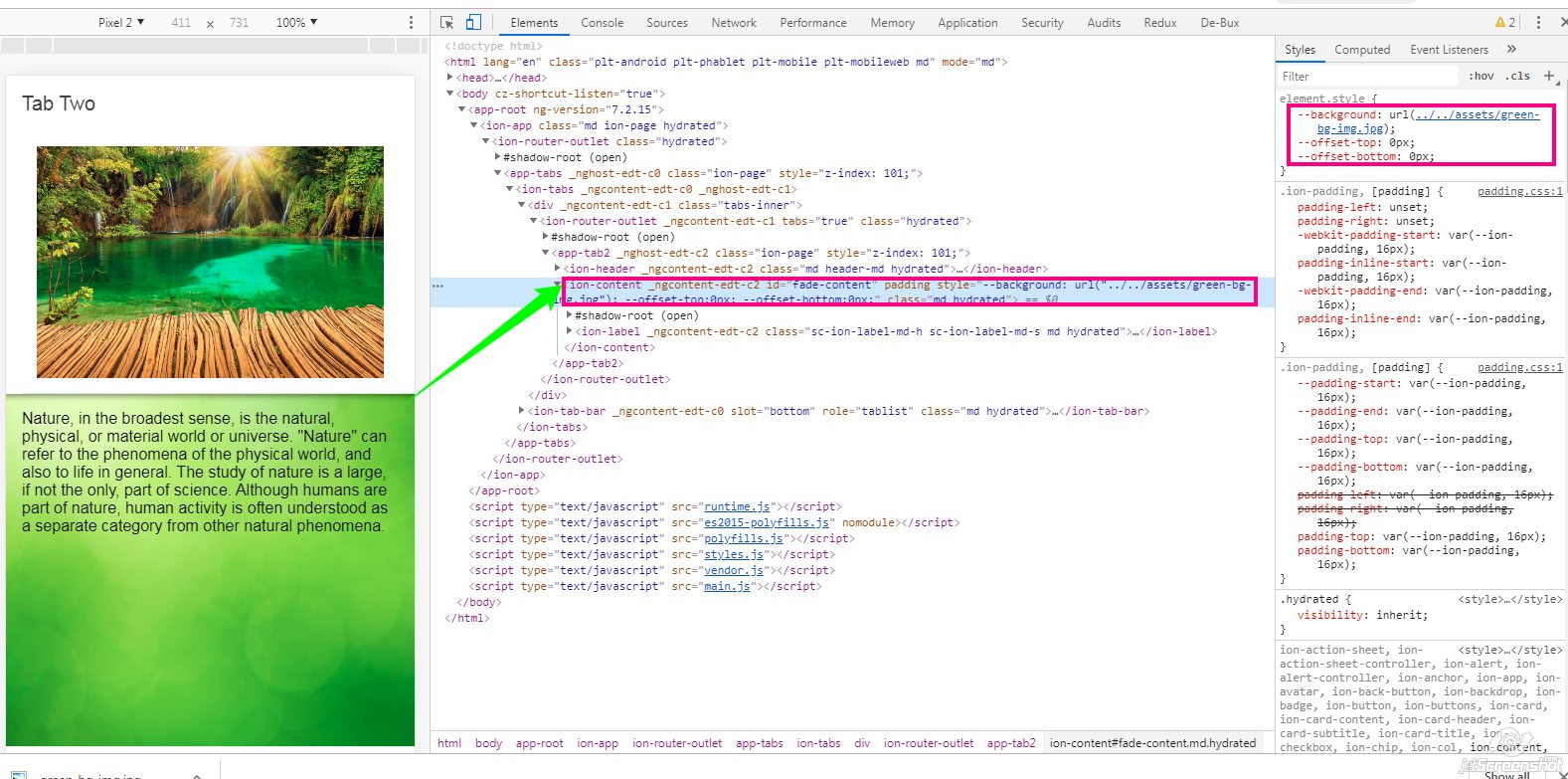
<ion-content  padding id="fade-content" style="--background: url('../../assets/green-bg-img.jpg');">
    <ion-label>Nature, in the broadest sense.... </ion-label>
</ion-content>