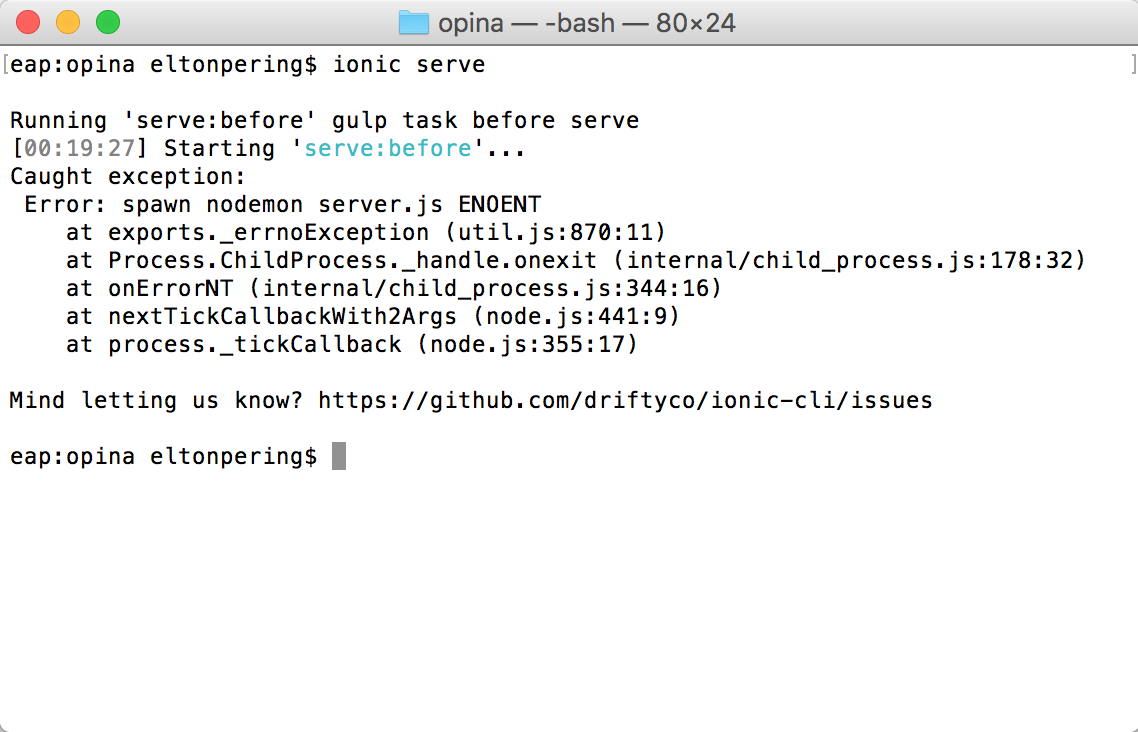
Well, you’ve got me on that one. Sounds like nodemon can’t start your server. Did you put the proper path to your server.js file? I’m guessing it’s not int he same folder as Ionic?
hmm, well your gulpfile is in there too. Sorry this one is much harder for me to say. Maybe try nodemon ./server.js?
It’s in the same folder as your gulpfile from the looks of it, so I guess I’d think that would work? You could also try that solution from the stack overflow I posted. You could check what directory you are in when gulp runs by changing the shell script to ‘pwd’ to print the working directory, or to ls (or dir on windows) to see what files are in there. Just to confirm you’re in the right folder.
Well, when I run in the browser with the bash ‘IONIC SERVE’, everything works.
But when I run the bash command to emulate ‘IONIC EMULATE IOS’ my app opens normally, but does not work the login button that calls the server.js, which makes the connection with the mongodb.
Because I’ve been thinking … in the emulator and in a real mobile there is no bash in the system, or should it work anyway?
Ummm…what? I mean, if you have your app trying to hit your dataservice via localhost it should actually still work in the ios emulator. And ya of course emulators and mobile don’t have bash…but what does that matter, you’ll have your data service hosted somewhere…right…
No. I think you lack a basic understanding of how apps and apis work. I thought you wanted to start both with one command as a convenience…it sounds like instead you think this is a requirement.
You have to host your node server and database somewhere. It’s totally separate from your app.
var db

MongoClient.connect('mongodb://elton:123456@ds035026.mlab.com:35026/star-wars-elton', (err, database) => {

  if (err) return console.log(err)
    db = database
    app.listen(3000, function() {
      console.log('mongodb  !!!');
      console.log('listening on 3000')
    })
});