Can anyone guide me on this? Below is the sample code. I tried to call an HTTP request inside the for loop, but the loop doesn’t wait for HTTP request finish already enter the next loop.
requestService.GetTelemetryData is the HTTP request.
GetGeneralInfo(){

for (let i = 0; i < deviceData.length; i++) {
conso.log("Loop Start")
            this.requestService.GetTelemetryData(loginAcc['token'], deviceData[i]["id"]["id"]).then((telemetryData) => {

              console.log("After GetTelemetryData()");
              let status = JSON.parse(telemetryData['status']);

              if (status == 401) {
                console.log("Token Expired...")

                this.requestService.RefreshToken(loginAcc['token'], loginAcc['refreshToken']).then(refreshTokenResponse => {

                 //i need to terminated the for loop and recall this method with new token
                  this.GetGeneralInfo();
                });

              }
              else if (status == 200) {
                console.log("Token is valid and data is given....")
                let data = JSON.parse(telemetryData['data']);
              }
            })
          }
}
The codes will continue for loop without waiting for the HTTP request finish. Let say the device data length is 2, for loop will print “Loop start” twice then only print "After GetTelemetryData()"
It’s a common async problem: all the calls made to this.requestService are asynchronous, but the loop keeps executing. In my experience, the cleanest way to make this async loop synchronous is by using async/await and waiting for the promises to resolve:
async function GetGeneralInfo() {
  for (let i = 0; i < deviceData.length; i++) {
    console.log('Loop Start')
    const telemetryData = await this.requestService.GetTelemetryData(loginAcc.token, deviceData[i].id.id);

    console.log('After GetTelemetryData()');
    const status = JSON.parse(telemetryData.status);

    if (status === 401) {
      console.log('Token Expired...');
      const refreshTokenResponse = await this.requestService.RefreshToken(loginAcc.token, loginAcc.refreshToken);

      //i need to terminated the for loop and recall this method with new token
      return this.GetGeneralInfo();
    } else if (status === 200) {
      console.log('Token is valid and data is given....');
      const data = JSON.parse(telemetryData.data);
    }
  }
}
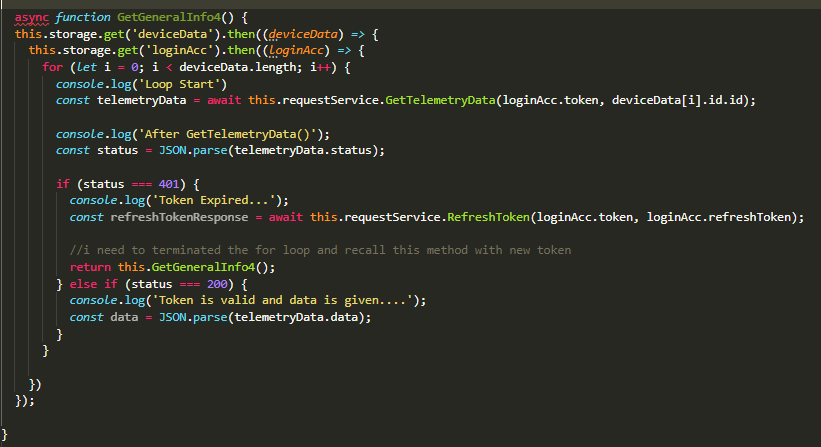
I tried the function. It shows error “Unexpected token. A constructor, method, accessor, or property was expected.”. If I remove the “function” it shows “‘await’ expression is only allowed within an async function.ts”
Where does the GetGeneralInfo4() go? Is it a class method from a page component?
Does it work if you remove function and leave it as async GetGeneralInfo4()?
Finally, it works after I update the typescript version. But I not sure is because of the await function cause the delay on UI. When the data return from API (interval per 30 seconds), I push on the data to an array and display on HTML. When view on the UI, it causes flickering, seems like the data delay.