how to add calendar on page ?
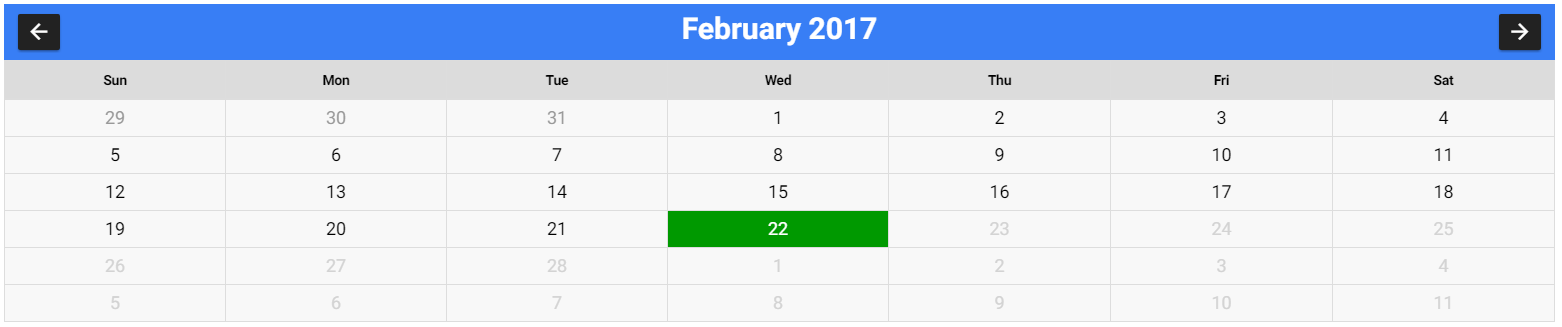
how can I realize this calendar with ionic 2??

do you got above UI?
@philchoco did you got the above calendar UI page?
@venubollu… @saikrishna_32… I’m new with mobile.
How can I got it?
@philchoco had u designed?
@saikrishna_32 no! It’s now I want to do it. I hope you’ll help me!
The screenshot is for this page http://codepen.io/Russian60/pen/MwOoqR
Thank you very much for the attention that you wore to my problem.
By insisting on my research, I came across this video https://m.youtube.com/watch?v=UVOV2hTkkvE that helped me solve my problem.
Miss me just the buttons next and previous to reach my goal.
Do you have a solution?
Hi @HsuanXyz
What is the HTML code?
@philchoco
You do not need to write HTML code , It’s just modals
@HsuanXyz i cannot understand html code in that
@philchoco its good but how to disable the previous dates
@HsuanXyz how to join the module in my HTML?
I don’t know how to use the module.
Me I want a static calendar not a modal not a datepicker
@saikrishna_32 What are you talking about? My option or @HsuanXyz option’s?
https://m.youtube.com/watch?v=UVOV2hTkkvE by using these video i had designed the UI part of calendar but now i wanted to disable the previous dates in the calendar
Everything is on the README. md doc’s
To disable date, you have to use the markDisabled option.
HTML code:
<calendar [calendarMode] = “calendar. Mode” [currentDate] = “calendar.currentDate” [markDisabled] = “markDisabled” … step=“30”>
Ts code:
markDisabled =(date: Date) =>{
var current = new Date();
return date < current;
}
@philchoco i had tried but its not disabling the previous dates had u tried?
@philchoco where you had written markDisabled in ts file…